Smart Home
  Fiber Optic
  Intruder
  Door Entry
  Tools
Tools  Security Network
  CCTV
CCTV  Access Control
  Accessories
  Hotel
Hotel 


 1 Year Warranty
 14 Day Return Policy
 PayPal available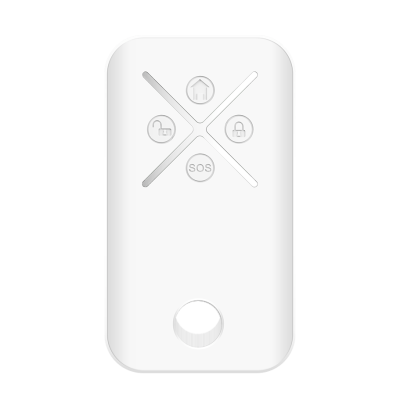
GlassProtect detects broken glass using an electret microphone, which registers the sound of impact against the glass and of the glass falling. It is installed at a distance of 9m from the window and filters events that cause false alarms about breakage. Two-factor detection of broken glass prevents false alarms caused by thunder, dogs barking and noise from passing trucks. Setup is easy and quick using the mobile application, and the detectors are connected with just one click. The battery is already installed, therefore there is no need to disassemble the detector. With one click, it can be connected to the hub in the mobile application. It can be mounted on the SmartBracket in just a few minutes.
Key Features:
Glass Break Detector
Built-in tamper protection
Up to 3yr battery life
Detects breakage up to 9m
Easy & quick App setup
Available in black or white

(20 reviews)
 Address: 5 Semena Skliarenka St, Kyiv, Kyiv, UA
 Contact Seller: 07533220200
Ajax - Rule your Space
You can add additional users, for which you will use the email or contact information from the contact list. The application will send an invitation to the specified email to become a system user regarding the installation of the application to work with the security system.
Immediately after installing the Ajax alarm program and registering additional users in the system, you will see them in the list of app users. At the time of registration, each user must specify the email that you (the administrator) have sent in the invitation. In the list of users, you will see the contacts confirmed by the system. Now you can configure the notification methods by analogy with the previous configuration of the administrator account. All alert channels are available to the user, except for the alarm call; this option is only available to the system administrator.
The user in the application can see the status of the devices but does not have access to the settings. Up to 50 users can be assigned to a system, depending on the version of the operating system installed on the HUB. So, after Ajax alarm installation, add users and set up notifications about events in the system. Let’s move on to adding sensors to the system and adjusting them.
First, go back to the desktop in the app and activate the “Rooms” icon, then “Add Room”. Type the name and, if necessary, add a photo. Save the data and adjust the parameters of the room:
The input delay time (after how many seconds the trigger will elapse after detection)
The exit delay time (to have time to put the system into alarm while you are in the room and then leave it without activating the signalling).
Also, the partial assembly.
As a general rule, you can specify Hall, Bedroom, Corridor, and Kitchen, and set the delay time to 60 seconds. In total, up to 12 spaces (rooms) can be installed in the system, and up to 100 sensors of different types can be installed in them.
When the Hub fails to communicate with the server (the Ajax logo lights red), the security system continues autonomous operation responding to all events, executing the enabled scripts, and activating the siren when applicable.
The events during the communication failure will be recorded in the Hub buffer and delivered to the Ajax applications when communication with the server is restored.
Since the Ajax applications communicate with the Hub via the server, you cannot operate the Hub via applications in the case of an Internet connection failure.
If the hub gets connected to a cellular network, it continues calling and sending SMS to users — if these notification methods are enabled.
Night mode is an arming mode where the user only arms part of the detectors.
Night mode can work with opening and motion detectors. When adding a new listener, Ajax disables night mode by default. Activate Night Mode manually before going to bed, and don’t worry about someone sneaking in through the door or window while you sleep. With night mode activated, you can move freely around your home.
YES. The ajax alarm system has everything you need to protect your home or business. Sensors with the most advanced technology control the interior movement, while the alarm centre connects them with the outside world. In the world of Security Ajax Rules.
Ajax Starter Kit is a Wireless Security System Basic Set includes the minimum package of components needed to set up a room. Its components are the following:
The main control device of the system – Ajax Hub
A wireless motion sensor – Ajax MotionProtect
A wireless door/window sensor – Ajax DoorProtect
Remote control to activate and control the entire system – Ajax SpaceControl system
The default ajax alarm kit contains accessories that allow all the components of the security system to be fixed to any surface, as well as installation and configuration instructions. All devices already have quality batteries pre-installed. Depending on the user’s taste, the alarm is supplied in two colours: black and white. For the convenience of users, in any product package, you will see a photo, name, specifications, and serial numbers in the form of an alphanumeric code, as well as a QR code to read on a smartphone.
Add your review
Your email address will not be published. Required fields are marked *
Please login to write review!
Looks like there are no reviews yet.